
Hearing Assistance & Translation
Hearing Assistance Connection Options
Best: Auracast
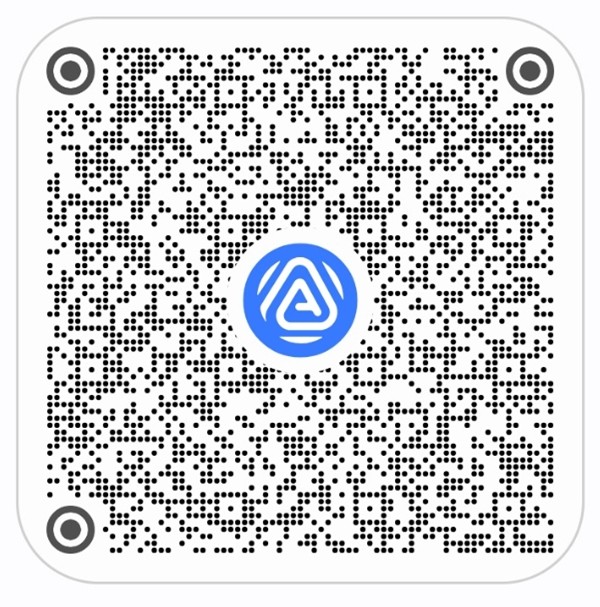
If you have compatible hearing aids, earbuds, or headphones, you can connect them directly to the hearing assistance broadcast using your device’s app. Details vary between manufacturers, but many users will be able to connect by scanning the QR code below. This technology is relatively new (late 2024) and only supported by devices that implement a very recent Bluetooth standard.
As of writing, Apple AirPods do not support Auracast.
Good: Radio Devices
If you don’t have devices that support Auracast, you can use a radio device available from the ushers. They are compatible with standard headphones, or the ushers can provide headphones or single use earbuds. Use the devices with WHITE labels for hearing assistance.
Please remember to return these devices after use; they’re surprisingly expensive.
Device-Based Translation Options
Audio translation to Spanish is available for select services.
Best: Auracast
If you have compatible earbuds or headphones (or hearing aids), you can connect them directly to the translation broadcast using your device’s app. Details vary between manufacturers, but many users will be able to connect by scanning the QR code below. This technology is relatively new (late 2024) and only supported by devices that implement a very recent Bluetooth standard.
As of writing, Apple AirPods do not support Auracast.
Good: Radio Devices
If you don’t have devices that support Auracast, you can use a radio device available from the ushers. They are compatible with standard headphones, or the ushers can provide headphones or single use earbuds. Use the devices with BLUE labels for translation.
Please remember to return these devices after use; they’re surprisingly expensive.
Okay: Phone Call
(Available for very limited events)
Connect with your phone by calling 844.719.7688. This method is easy, but the stream will be delayed by several seconds.
Troubleshooting FAQ
1. What content is sent through the Hearing Assistance transmitters?
Only things that are amplified through the speakers are sent through the transmitters. In general, people speaking at the front are amplified, music is not.
2. What’s the difference between the different colors and labels?
White labels (numbers starting with S) are amplification for the Sanctuary.
Blue labels (numbers starting with T) are for translation when that is offered.
Red labels (numbers starting with F) are for amplification in Fellowship Hall.
3. There is no webcast this service. Does that mean there’s no hearing assistance devices?
No, the hearing assistance system is unrelated to the webcast. The hearing assistance system should work whenever there’s an event in the Sanctuary.
4. My hearing assistance device is not producing any sound. What should I do?
Content: Make sure there’s sound to be heard (see #1).
Program: Make sure you’re using an amplification device, and not a translation device (for services that are translated using devices).
Power: Ensure the device is turned on. Check if the battery is properly inserted and charged. Replace the battery if necessary.
Volume Control: Make sure the volume is turned up. Some devices have a mute function; ensure it is not activated.
Connection: Verify that the device is properly connected to the audio source. Ensure that all cables are securely plugged in.
Earphones: try different headphones.
5. The sound from my hearing assistance device is full of static or distortion. How can I fix this?
The transmitters are located near the FRONT of the sanctuary. The signal gets weaker as the listener is further away, and the signal is also absorbed by people and blocked by brick walls (including the wall between the sanctuary and narthex). Sitting further forward should provide better signals. This also means that the signal will be weak in the narthex.
6. My hearing assistance device won't turn on. What steps should I take?
Battery Check: Make sure the battery is inserted correctly and has a charge. Replace the battery with a new one to test.
Power Light: Ensure the power light is illuminated.
If these options do not resolve the problem, put the device in James Kurtz’s box with a label describing the problem.
7. My hearing assistance device is uncomfortable or doesn’t fit well. What should I do?
We strongly recommend regulars bring their own headphones/earbuds that they find comfortable.
8. I've tried all the troubleshooting steps, but my device still isn't working. What should I do next?
There is little the tech team can do to fix this during a worship service. If the problem is isolated to one device, put the device in James Kurtz’s box with a label describing the problem. If the problem is not isolated, email: [email protected].