
Sharing Personal Amazon Prime Benefits with your Tenth account
Edited
Tenth doesn't have business Prime because it's incredibly expensive. But you can share your personal Prime benefits with your Tenth account.
1. Sign into your personal Amazon account.
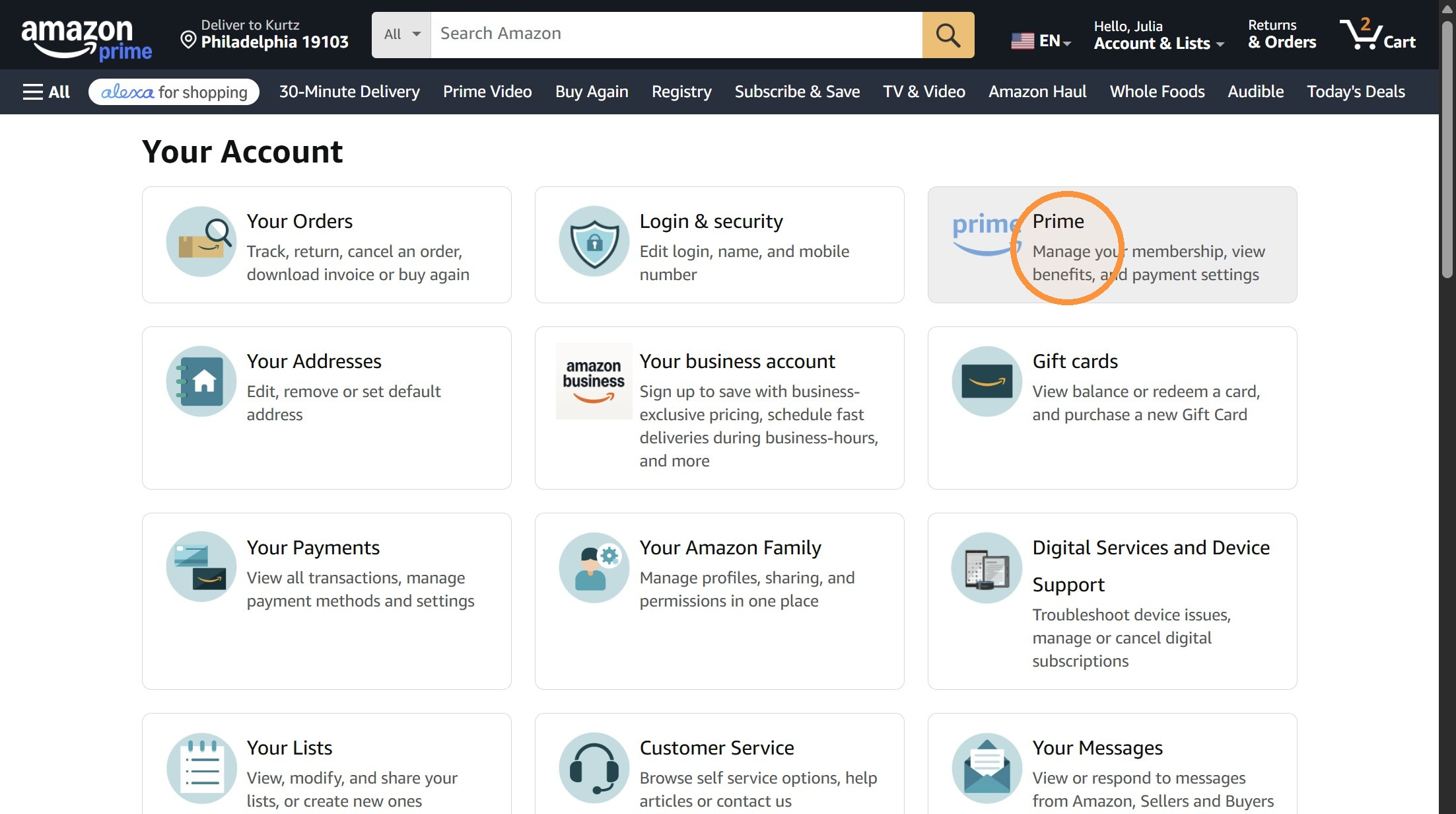
2. From Your Account homepage, click the Prime button.
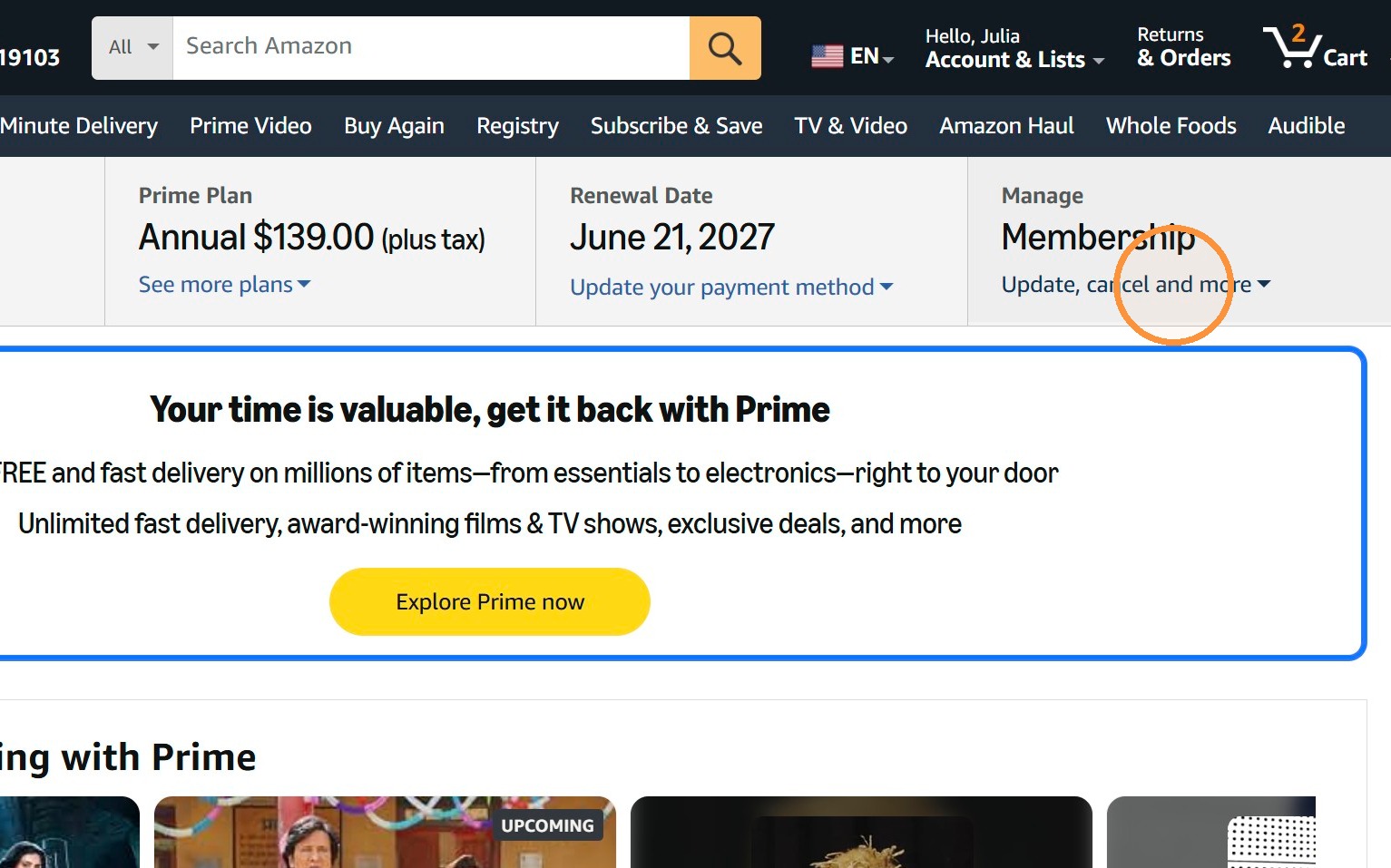
3. Click "Update, cancel and more"
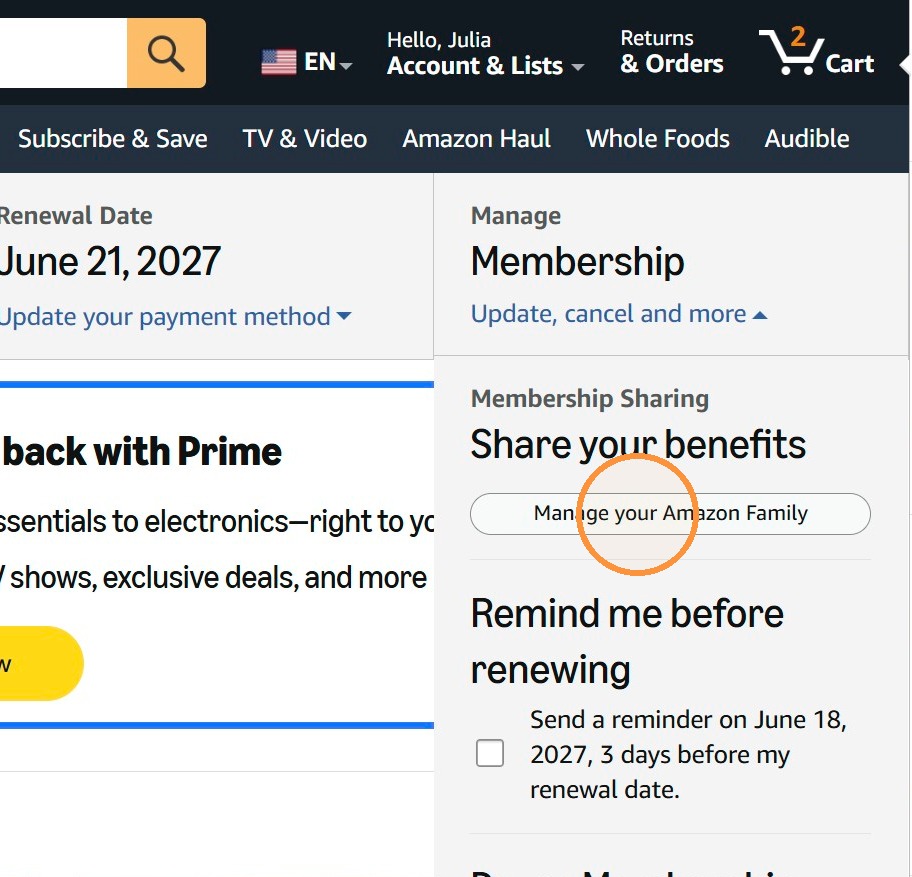
4. Click "Manage your Amazon Family"
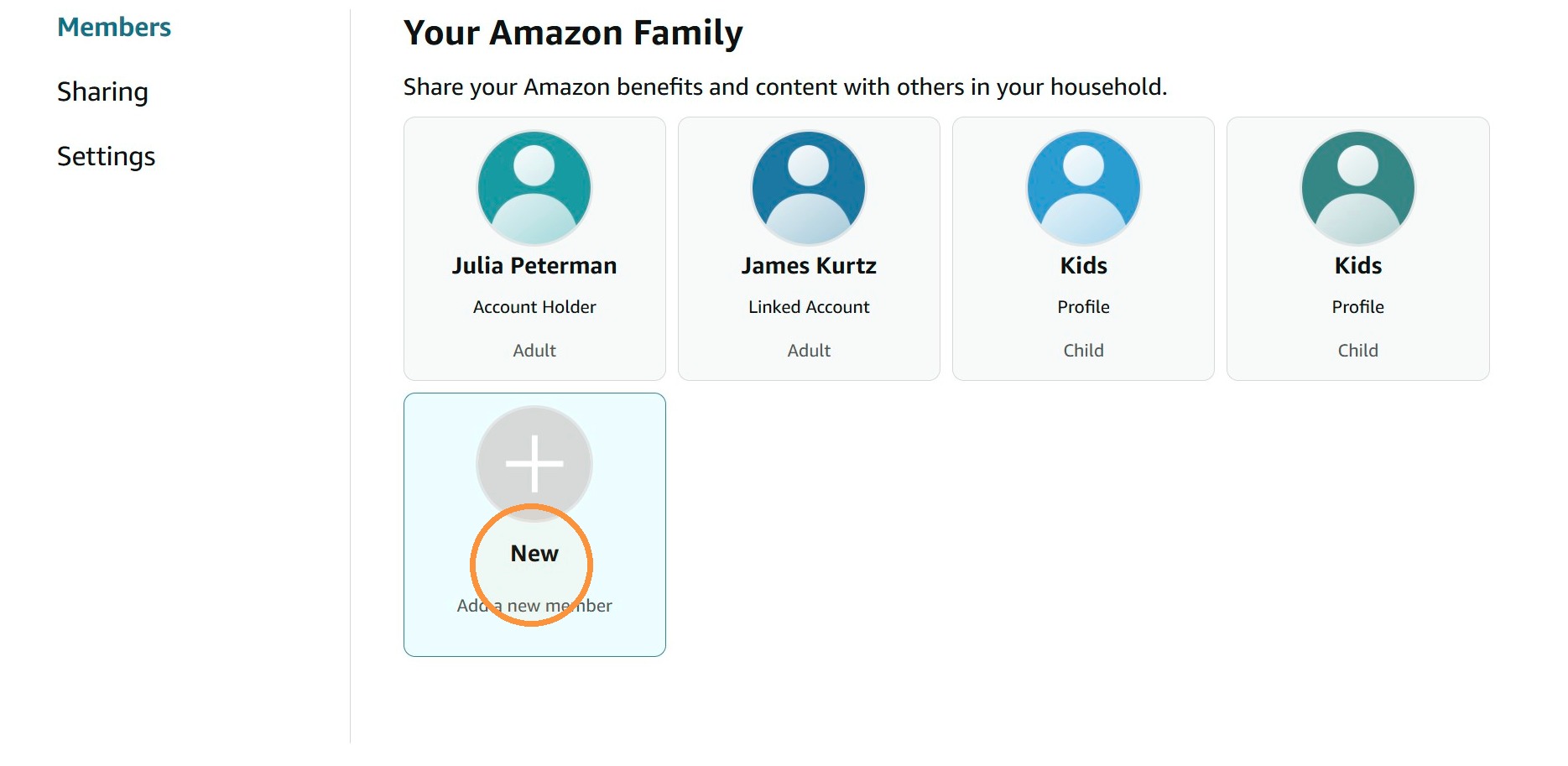
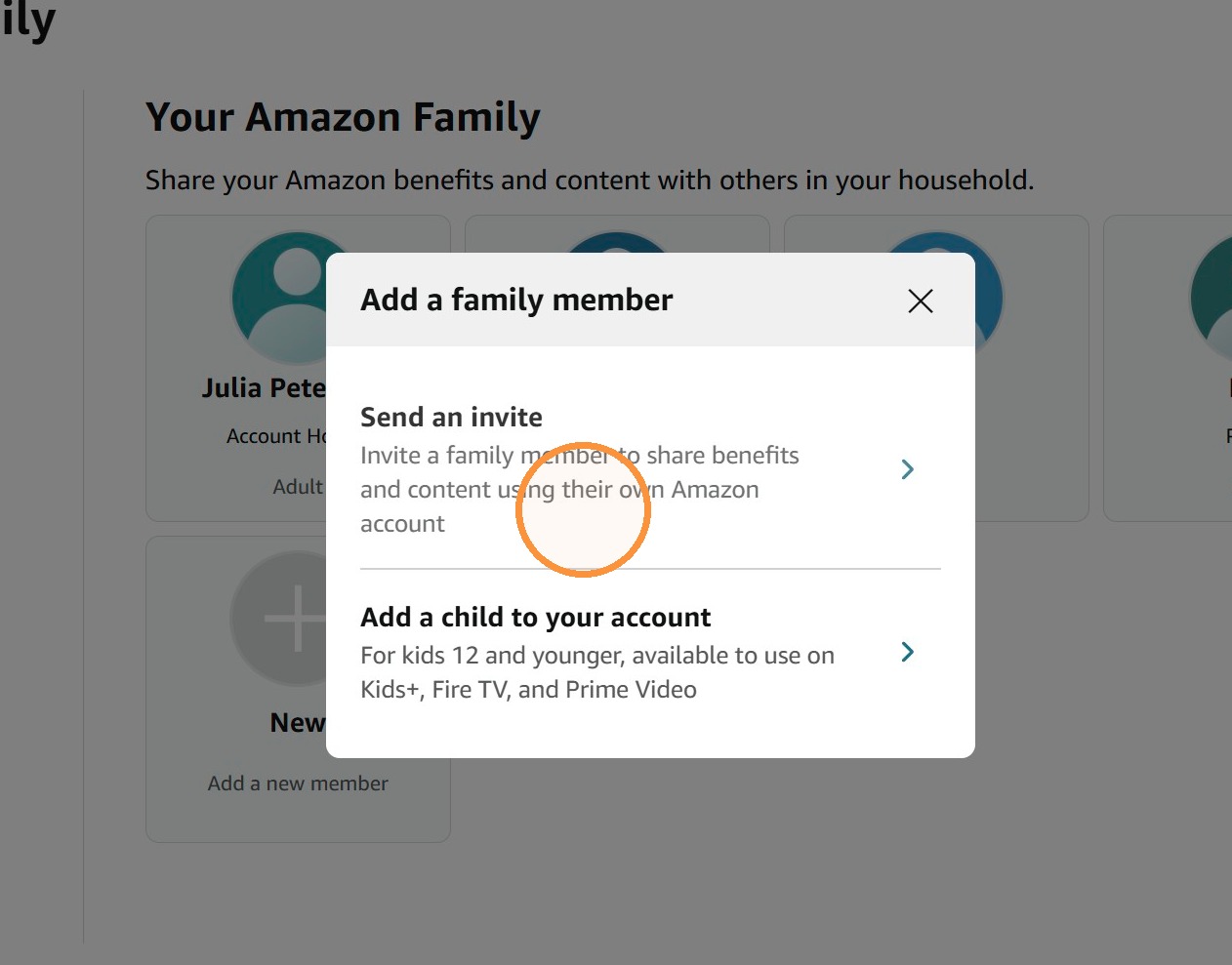
5. Click "New" to add someone.
6. Choose the Send an Invite option.
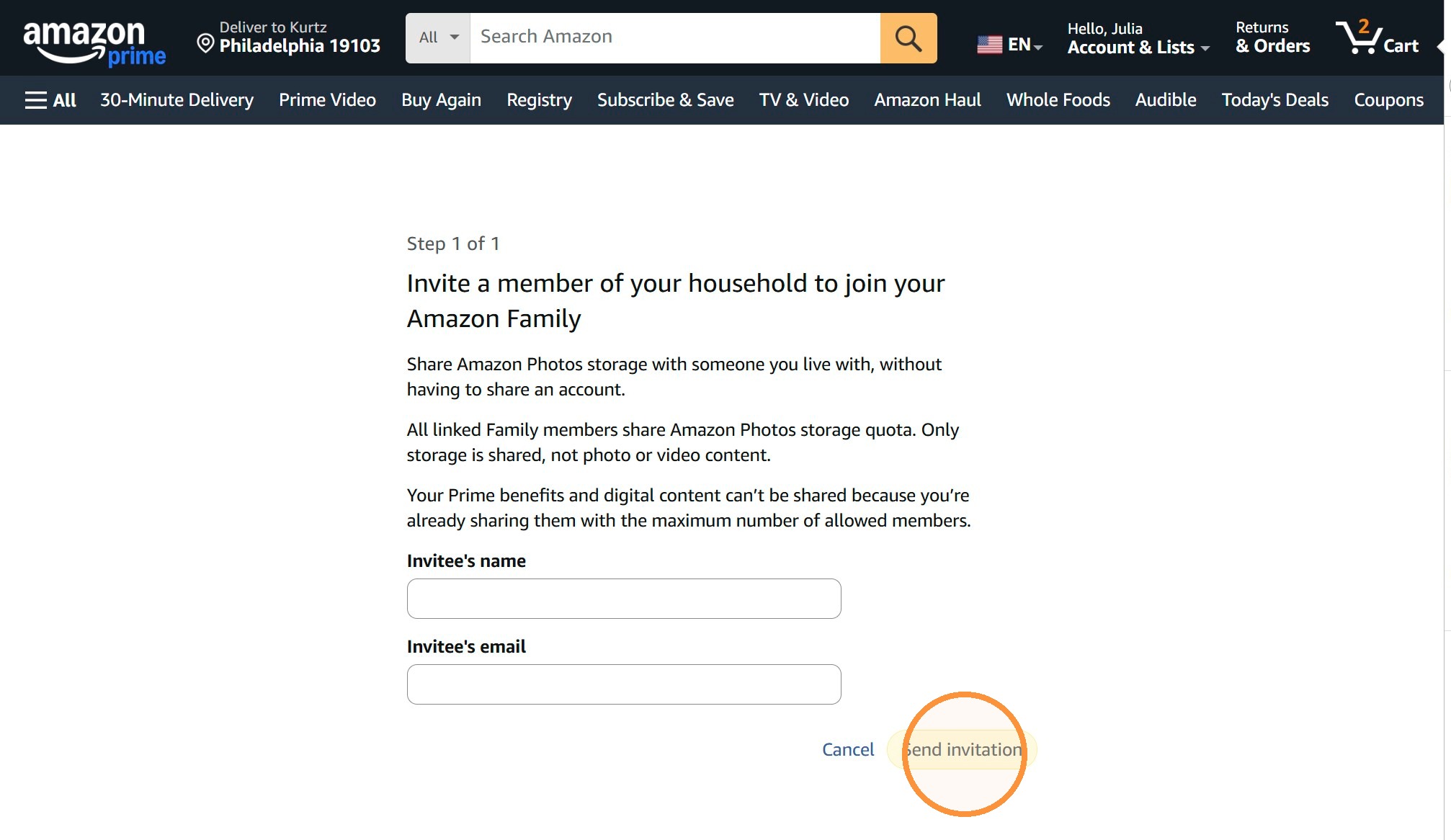
7. Put in your name and Tenth email address. Make sure you use the first initial and last name version of your Tenth email address, e.g. [email protected]
Then click Send Invitation.
8. You will receive an invitation email that you should accept by clicking through and signing in with your Tenth account.
Was this article helpful?
Sorry about that! Care to tell us more?